One total power budget, not a sum of independent outlets
On a power station, the AC outlets are not independent circuits: they are all fed by the same inverter, the part that turns the battery's direct current into alternating current. That inverter has a maximum continuous power rating, given in watts (W) on the unit's spec sheet: 800 W, 1,500 W, 2,400 W... That single figure, and nothing else, defines what the station can deliver at any given moment, whatever the number of outlets in use.
IEC 62894, the international standard covering photovoltaic inverter data sheets, defines maximum AC output power as the “maximum continuous active power the inverter can deliver under specified voltage or temperature conditions within the inverter’s rated range of operation”. In other words: one single budget, shared by every AC outlet at the same time.
USB-C and USB-A ports: a separate budget, sometimes shared between them
USB-C and USB-A ports follow a similar logic, but usually with a budget separate from the AC outlets. A station advertising “100 W” on a USB-C Power Delivery port does not necessarily give 100 W to every port at once: most models split a total USB power pool (often 100 to 140 W on compact stations) across all active ports.
In practice, plugging in a smartphone (20 to 30 W) on a USB-C port leaves headroom for the other ports, but adding a laptop that asks for 65 W can push the USB total close to its limit: through USB Power Delivery negotiation, the station then lowers the power granted to each device to stay under the cap. That is often what wrongly feels like the station “slowing down”: in reality, it is the PD negotiation rebalancing the share.
Good news: on most modern stations, this USB budget is separate from the AC outlets. Running a mini fridge on AC power does not, in principle, reduce the power available to charge a phone over USB-C, unless the manual says otherwise (some compact models share one global budget between USB and 12 V outputs).
Crossing the limit means a shutdown, never a gradual slowdown
This is the most misunderstood point: a power station that exceeds its continuous power rating does not start running “slower”. The overload protection built into the BMS and the inverter cuts the output, usually within a few seconds, to protect the power components from overheating.
Two power figures always appear on a spec sheet, and they do not measure the same thing: continuous power (what the station can deliver at all times) and peak or surge power (a short spike, often twice the continuous rating, to absorb the current draw when a motor or compressor starts up). A device with a strong startup draw, such as a small fridge or a power drill, can trigger a shutdown even if, once running, it stays well under the rated continuous power.
Heat reduces the power available, even without adding another device
Another, less-known trap: the continuous power figure on a spec sheet is only guaranteed at a reference temperature, usually 77 °F (25 °C). Beyond that, the power actually available drops, even without plugging in anything new.
Victron Energy, an inverter and charger manufacturer used as a technical reference in the industry, publishes derating curves that illustrate the effect well on its own products: at 104 °F (40 °C), an inverter that delivers 100% of its rated power at 77 °F (25 °C) only delivers about 90% of it, and the drop accelerates further on (around 75% at 140 °F/60 °C). A power station left in direct sun in a car trunk or near a grill is therefore exposed to an earlier shutdown than expected, even with devices it normally handles without issue indoors.
How to work out whether your devices add up
Before plugging in several devices, the most reliable approach is a simple calculation: add up the power (in watts) of every device and compare it to the station's continuous power rating, with a safety margin of about 15 to 20% to absorb startup spikes.
| Device | Typical power draw |
|---|---|
| Smartphone charger (USB-C PD) | 20 to 30 W |
| Laptop | 45 to 100 W |
| 12 V/AC mini fridge | 45 to 70 W (spikes when the compressor starts) |
| LED TV (32 to 43 inches) | 40 to 80 W |
| Coffee maker or electric kettle | 1,000 to 2,000 W |
| Power drill or power tool | 500 to 900 W (a much higher spike at startup) |
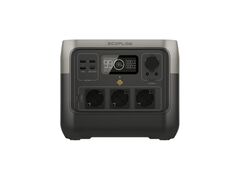
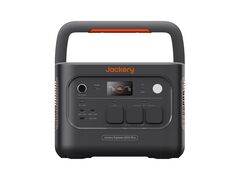
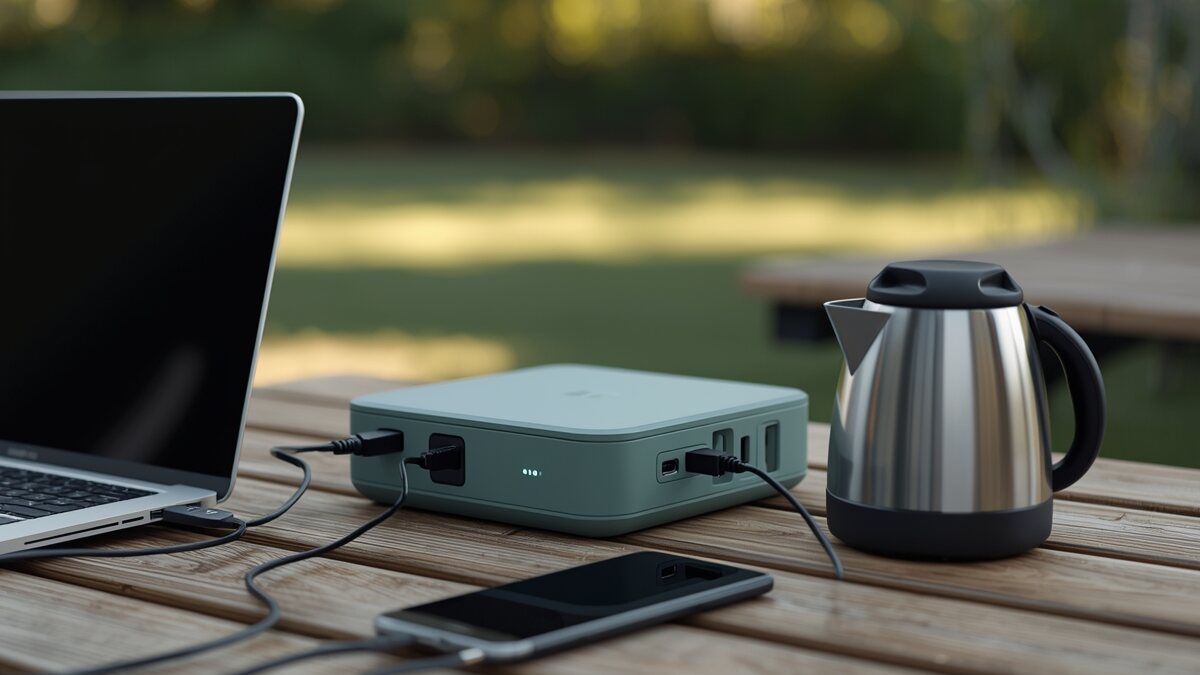
A real example: a laptop (65 W) and a phone charger (25 W) running together only add up to 90 W, well within reach of a compact station like the EcoFlow River 2 Pro (800 W continuous). Adding a 1,500 W kettle pushes the total to 1,590 W: that calls for a station rated at least 1,800 to 1,900 W continuous to keep a safety margin, such as the Jackery Explorer 2000 Plus v2 (2,400 W continuous).
Our tips for plugging in several devices without worry
A few simple habits avoid most unexpected shutdowns:
- Always compare the sum of your devices to the continuous power rating, never to the peak/surge figure.
- Plug in the most power-hungry device first (the one with the strongest startup draw), then add the others one at a time rather than all at once.
- Keep a 15 to 20% margin for the startup spikes of motor- or compressor-driven devices (fridges, power tools).
- Avoid leaving the station in direct sun or near a heat source: the power actually available drops as temperature rises.
- For regular use with several power-hungry devices, it is safer to pick a station with continuous power well above the expected total than to aim exactly at it.
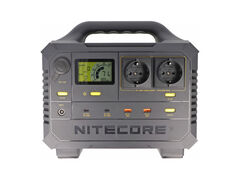
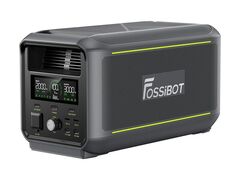
To pick the right capacity and power from the start, our guide on how to choose a power station also covers Wh capacity, which complements the W power rating discussed here. In the catalog, multi-port power stations such as the Nitecore NES1200 (7 simultaneous outputs) or the Fossibot F3000 (3 AC outlets, 2 USB-C, 2 USB-A) illustrate this shared-budget logic across many outputs particularly well.