What the claimed 74Wh are really worth
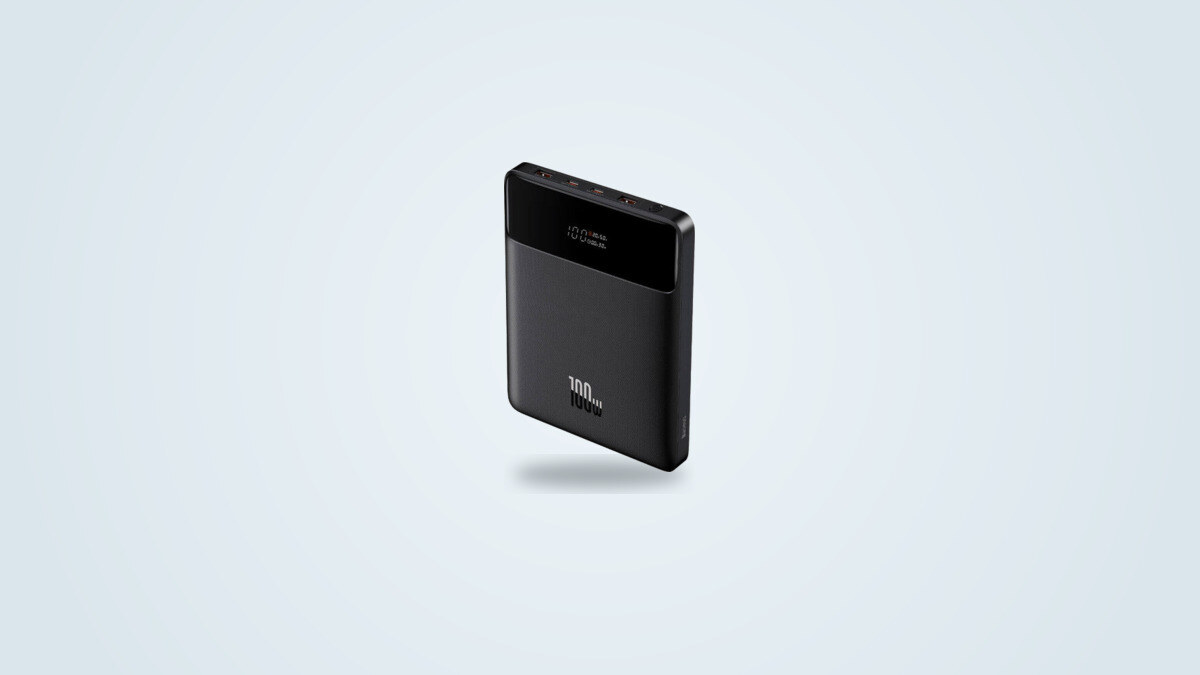
The 20,000mAh printed on the case works out to 74Wh once converted at the cells' nominal voltage (3.7V), an honest and consistent figure for the Li-ion chemistry declared, unlike some listings on the market that inflate the number by presenting milliamp-hours as if the whole pack ran at a single cell's voltage. That figure is still a cell capacity, though, not delivered energy: between the cell and the output port, the conversion electronics take their share, and that share changes with the power being drawn.
The gap between the two levels is not a footnote: charging a laptop at full speed costs proportionally more lost energy than slowly topping up a small accessory. The cause is physical, not a quirk of one particular unit: the more watts the converter pushes out, the hotter it runs and the more energy it loses as heat. Across both levels, the Baseus Blade still sits well above the weak end of its category, where some similarly sized batteries deliver only about 65% of their claimed capacity.
100W at peak, not for long
The main USB-C port reaches up to 99.9W at peak (20V and 5A), essentially the full 100W printed on the box: that figure is not an inflated marketing claim. The nuance is about duration. Pushed continuously near its maximum, the Baseus Blade trips its thermal protection after about nine minutes and then cuts back the output to protect the cell and the electronics.
Surface temperature climbs to around 136 to 138 °F (58 to 59 °C) both when discharging at 65W and during fast charging, hot to the touch but within the range where protection kicks in normally, without any abrupt cutoff. In practice, this means the Blade is well suited to a short burst of high power, reviving a nearly dead laptop just before a meeting, for instance, but that its cruising speed on a long, sustained charge sits closer to 65W than the 100W printed on the case. Nine minutes is plenty to get a phone back past half charge, far less to fully recharge a large laptop at full speed.
Power sharing across the four ports
The two USB-C ports draw from a shared power budget rather than each getting an independent 100W, a common setup for this format. The two USB-A ports cap at 30W each and handle the most common Quick Charge, AFC, FCP and SCP protocols found on Android phones.
| Port | Max power | Protocols |
|---|---|---|
| USB-C 1 | 100 W | PD 3.0, PPS |
| USB-C 2 | 100 W (shared budget) | PD 3.0, PPS |
| USB-A 1 | 30 W | QC 2.0/3.0/4+, AFC, FCP, SCP |
| USB-A 2 | 30 W | QC 2.0/3.0/4+, AFC, FCP, SCP |
The point to watch is how consistently that budget gets shared once two demanding devices are plugged into the USB-C ports at the same time: behaviour is not always predictable, with a phone sometimes dropping to just 10W instead of a steady split of the available power, while in other cases both devices get a decent speed at once. The display, for its part, never shows a clear breakdown of how power is currently split across all four outputs, making it hard to tell at a glance why one device is charging slower than expected.
Charging a laptop, in practice
The Baseus Blade's central selling point is fitting in a laptop bag while still charging a demanding laptop. The main port genuinely reaches close to 100W of output, a figure that exceeds what many laptops themselves are able to accept. Facing an ultrabook that only accepts 60W on its input, for example, charging speed stays capped at that 60W no matter how much power the bank has on tap: the ceiling then comes from the laptop, not the Blade.
This nuance is worth keeping in mind before buying: the Blade's 100W mostly benefits the hungriest laptops (creator workstations, compact gaming laptops, certain mobile workstations), not every laptop across the board. For a phone or tablet plugged into the USB-A ports, the available 30W is enough for a standard fast charge with nothing unusual to report.
The display: a real plus, with one limit
The built-in LCD display shows the remaining charge percentage, the live wattage and an estimated time remaining, a feature still uncommon at this level of slimness and clearly the standout everyday feature of this unit: no more guessing what is left in the tank before a long trip. Legibility stays good even under standard office lighting.
Two concrete limits, though. First, the display's glossy surface scratches fairly easily against other items in a bag, even with the included pouch; a dedicated compartment is worth using long term. Second, the readout never adds up the total combined wattage when several devices are charging at once across the four ports, only the main port's wattage or a rotating per-port cycle depending on firmware version.
Recharging the Blade itself
The USB-C input accepts up to 65W. With a charger genuinely able to hold that power continuously, a full recharge takes a little under an hour and a half: a charger delivering 67W on input filled the battery in 1h23, taking in about 71Wh overall, a figure slightly above the 74Wh nominal once input conversion losses are counted. With a more modest or less stable charger, a full charge can stretch noticeably past 90 minutes.
No wall charger is included in the box, only a 100W USB-C to USB-C cable and a carrying pouch. Without an existing 65W or stronger PD charger on hand, it is worth budgeting for one alongside the Blade itself.
Format: the number one selling point against the competition
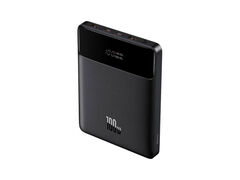
At a printed 0.7 in (17.8 mm) thick and a weight close to 1.12 lb (506 g) confirmed to within a few grams by several independent weighings (between 1.08 and 1.13 lb, or 488 to 511 g, depending on the unit and the scale used), the Baseus Blade remains one of the slimmest units in its 100W and 20,000mAh class.
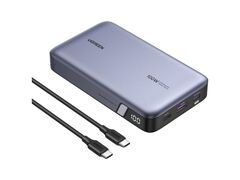
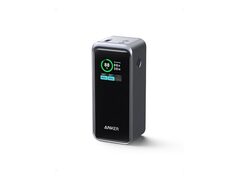
Against a UGREEN Nexode 100W of very similar capacity (72Wh), the 0.3 in (8.7 mm) difference in thickness is clearly noticeable by hand in an already full bag. Against an Anker Prime 20000 that climbs to 200W, the comparison is not entirely fair since the latter carries beefier conversion electronics, but it illustrates the trade-off the Blade makes: less simultaneous peak power across both ports, in exchange for a case that is much easier to slide against a laptop.
Compatibility and charging protocols
The Baseus Blade recognises a wide range of fast-charging protocols across its four ports: Power Delivery 3.0 and PPS on both USB-C ports, Quick Charge 2.0, 3.0 and 4 Plus, AFC, FCP and SCP, plus the 2.4A Apple mode on the USB-A ports. That breadth of compatibility covers nearly every recent USB-C smartphone, tablet and laptop, regardless of brand.
In practice, compatibility spans everyday laptops (Windows, Chromebook), recent Android phones and USB-C PD hybrid handhelds. Pass-through charging, recharging the Blade while also charging a device plugged into it, is advertised by the manufacturer: a handy feature for a desk or hotel room with only one outlet, even though it mechanically slows down the battery's own recharge.
Reliability, warranty and availability in 2026
The manufacturer's warranty runs 24 months, on the higher end for the category. No safety issue or recall is tied to this model. The thermal circuit that cuts power after a few minutes at full charge, rather than letting the unit heat up without limit, points to protection electronics doing their job as intended.
A handful of isolated reports mention reduced capacity or premature wear on one of the ports after several months of very heavy use, without forming a widespread or established pattern over time. Best treated as a reasonable caveat rather than a proven flaw on this model.
On availability, Baseus has since released newer, more compact laptop power banks such as the Blade HD and the EnerFill FC41, with different specifications despite the similar family name: they should not be confused with each other, nor should the figures in this review be applied to those newer references. The original Blade 100W 20,000mAh remains available in the United States, currently in stock, so it stays an easy model to actually buy today.
Who the Baseus Blade suits, and who it does not
The Baseus Blade is aimed first at anyone who travels regularly with a laptop and wants a single battery able to top up that laptop, a phone and one or two small accessories, without adding noticeable bulk to an already full bag. The built-in display and broad protocol support also make it a comfortable choice for anyone juggling devices from several brands.
It suits less well anyone after a stable, sustained 100W across long simultaneous charging sessions for several demanding devices, or anyone who would rather have a wall charger included at purchase. Budget should also account for a separate 65W USB-C charger if needed, and it is worth comparing against Baseus's newer laptop power banks before buying, since the lineup has moved on even though this original model remains readily available.