What the claimed 74Wh actually delivers
The spec sheet for the INIU 20,000mAh 65W lists 74Wh, a figure obtained by multiplying 20,000mAh by a 3.7V cell voltage. A direct reading of the cells gives a slightly lower figure, around 72Wh, the gap coming from the usual difference between a rounded conversion and real-world electrochemistry. What matters for everyday use is a third, lower figure: the energy that actually comes out of the USB ports once the conversion electronics are accounted for.
This usable energy, around 62Wh, stays constant regardless of the output voltage tap selected (5V, 9V, 12V, 15V or 20V): only the current changes, the total delivered stays the same. That is a sign of honesty rather than a flaw, since the entire gap between 74Wh and 62Wh comes from the normal efficiency of a boost converter of this size, not from an inflated capacity claim. In practical terms, this reserve covers roughly 3 to 4 full smartphone charges, close to a full charge for a light laptop, or a full Steam Deck charge with some room left over for a phone.
The most compact power bank in its 65W class
On the scale, the INIU 20,000mAh 65W comes in at about 11.4oz (323g) for a body measuring roughly 4.3 x 2.8 x 1.1in (110 x 71 x 29mm). For comparison, its own bigger sibling, the INIU 25,000mAh 100W, weighs 16.7oz (475g) in a longer and notably thicker body, 5.85 x 2.87 x 1.34in (149 x 73 x 34mm): 5,000mAh of extra capacity and 35W of extra power add roughly 5.4oz (150g) and 0.2in (5mm) of extra thickness.
This compact body slides into a jacket pocket or the front pocket of a pair of jeans without stretching the fabric, a size that neither the same brand's 25,000mAh 100W nor the more powerful rivals in this comparison reach at 20,000mAh. The logical trade-off for this size is a lower power ceiling than those rivals, covered in the next sections.
What the main port actually delivers
The USB-C1 port works as both input and output, and delivers up to 65W across several voltage profiles, up to 20V/3.25A. Used alone on a laptop, it holds its promise beyond its stated target: on a 14-inch MacBook Pro with an M2 chip, a machine built for a far more powerful charger, it brings the battery from 0 to 87% before stopping. On an ultrabook closer to its intended use, an ASUS Zenbook regains 38% in 30 minutes from empty, and a Samsung Galaxy S23+ completes a full charge in just over an hour.
| Port | Voltage profiles | Max power |
|---|---|---|
| USB-C1 (input/output) | 5V/3A, 9V/3A, 12V/3A, 15V/3A, 20V/3.25A | 65W |
| USB-C2 (output) | 5V/3A, 9V/3A, 12V/3A | 36W |
| USB-A (output) | 5V/3A, 9V/2A, 12V/1.5A | 18W |
This result on a laptop more demanding than its stated target shows that the 65W ceiling stays useful well beyond MacBook Air-class ultrabooks, as long as the machine negotiates a standard USB Power Delivery profile, complemented by PPS and Quick Charge for phones. The limit shows up on the most demanding 14 or 16-inch laptops, whose original charger exceeds 96W or even 140W: these machines still accept a charge, just at a slower rate than their original power brick.
How power splits across the 3 ports
The three ports do not add up: USB-C1 (65W), USB-C2 (36W) and USB-A (18W) draw from a shared power budget rather than three independent ones. When a laptop and a smartphone charge at the same time on the two USB-C ports, the split settles around 45W for the laptop and 20W for the phone, close to 65W total: that sum matches the ceiling of the main port used alone, not the sum of the three port ratings printed on the case, which would add up to 119W on paper.
| Setup | USB-C1 | USB-C2 | USB-A |
|---|---|---|---|
| Port used alone (ceiling) | 65W | 36W | 18W |
| Laptop + smartphone (2 ports active) | ≈ 45W | ≈ 20W | idle |
This split is normal for a body of this size: it reflects the total power the internal electronics can actually supply, rather than an independent charge per port. For two devices at once, laptop and phone, speed stays close to what each port alone would deliver. It is mainly with three devices plugged in together that the per-port budget would shrink the most, a setup that remains a minority use case for a 65W body built primarily around a light laptop paired with a phone.
Recharging the battery itself: the real duration
On input, the USB-C1 port accepts up to 45W, enough to fully refill the 20,000mAh in just over an hour with a suitable charger. This full recharge takes between 1h15 and 1h42 depending on the charger used and the starting charge level; the product spec sheet lists a cautious 2 hours, consistent with a charger weaker than 45W or a measurement that includes the final charging stage, always the slowest part on a lithium cell.
Pass-through charging, which recharges the battery while also feeding power to a connected device, is advertised by the manufacturer and works through the USB-C1 port. It is handy for recharging the battery and a laptop overnight from a single outlet, at the cost of a somewhat slower recharge for the battery itself while the connected device keeps drawing current.
The friction point: the bundled cable and the lack of a built-in one
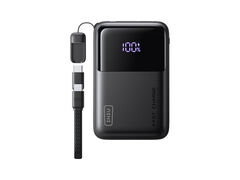
The box includes a USB-C cable, but it is short, meant for connecting the battery to a nearby charger rather than powering a laptop sitting further away on a desk. Unlike some other models in the lineup that build a retractable cable into a wrist loop, this version has no cable permanently attached to the case: every cable stays a separate accessory, to carry or replace on its own.
Another quirk of this model: it can automatically cut its output under a very light current draw, a protection behavior common on modern power banks, but one that can catch out small accessories (earbuds, a smartwatch) whose draw stays below the trigger threshold. No wireless charging and no magnetic holding feature come with this model, in line with its focus on high-power wired charging.
A secondary feature with room to improve: the percentage display
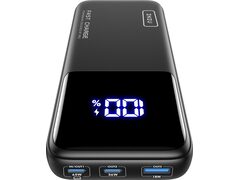
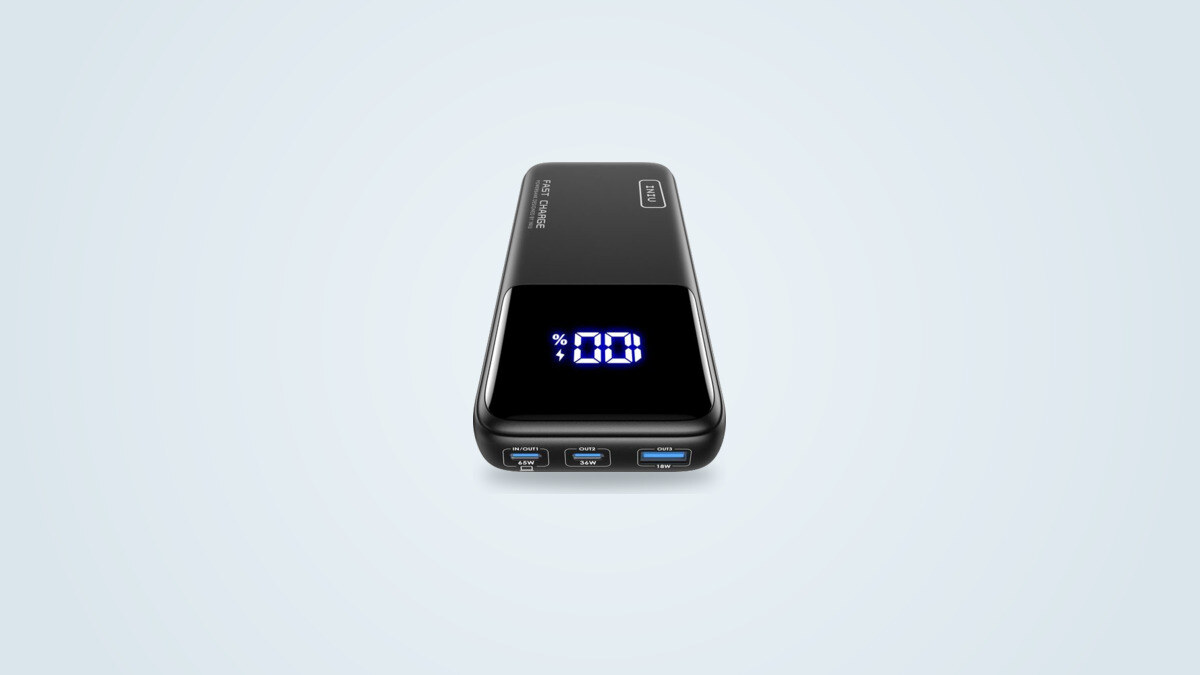
The LCD screen shows the remaining charge in 1% steps, precise enough to track charge through a day on the move. It stops there, though: neither voltage nor current show up during charging, unlike pricier models in the lineup with a more detailed display. Reading the percentage in daylight also takes some angling of the case, as the screen loses contrast in direct sun.
A lightning icon lights up on the screen during fast charging, a simple cue confirming the port is indeed negotiating an accelerated charging profile rather than a plain 5W trickle. It is a useful but minor touch that does not make up for the lack of finer detail on the power actually flowing at any given moment.
A specific use case: the light-laptop travel companion
The INIU 20,000mAh 65W finds its real place alongside a light laptop and a smartphone, for remote work or travel away from an outlet. A MacBook Air, a Steam Deck or a small Windows ultrabook make full use of the available 65W, adding several hours of office work or several handheld gaming sessions.
For the most demanding 14 or 16-inch laptops, whose original charger tops 96W, the brand itself offers two dedicated models in its lineup, one at 100W and another at 140W, heavier but better suited to that specific need. Picking this 65W version for regular use with that kind of machine would mean giving up some of the charging speed its original power brick would otherwise deliver.
Against direct 20,000mAh rivals
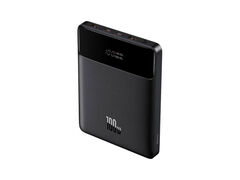
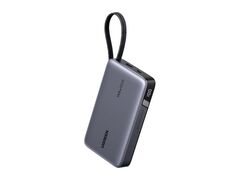
At 20,000mAh, two rival profiles exist: those aiming for 100W or more for the most demanding laptops, at the cost of noticeably more weight, and those that, like this INIU, cap power lower to stay compact.
| Criterion | INIU 65W | Ugreen Nexode 145W | Baseus Blade 100W |
|---|---|---|---|
| Capacity | 20,000mAh | 20,000mAh | 20,000mAh |
| Main port | 65W | 145W | 100W |
| Weight | 11.4 oz (323 g) | 15.9 oz (450 g) | 17.8 oz (506 g) |
| Warranty | 3 years | 18 months | 18 months |
On this comparison, the INIU wins clearly on weight and warranty length, but gives up 35 to 80W of peak power against its two rivals. The choice comes down to use case: a laptop demanding 96W or more justifies the extra weight of the Ugreen or the Baseus, while a mixed smartphone-and-light-laptop routine makes full use of the INIU's more compact body without ever needing the power it lacks.
Reliability, warranty and after-sales support
INIU backs this model with a 3-year warranty, well above the 12 to 18 months typical for this kind of product, and advertises technical support with no time limit. No recurring build defect specific to this model shows up beyond the points already covered (short cable, percentage-only screen), and available capacity shows no notable drop after several weeks of daily use. No independent data, however, yet documents its behavior beyond several months of heavy use.
Who this battery suits, and who it does not
This INIU suits anyone after a single power bank able to keep up with a smartphone and a light laptop, in the most compact 65W, 20,000mAh body in this comparison. Its roughly 11.4oz (323g) weight, 3-year warranty and lower price than more powerful rivals make it a solid default pick for regular travel, a flight (it stays under the TSA's 100Wh cabin carry-on threshold) or the occasional day of remote work away from an outlet.
It suits less anyone who already owns a 14 or 16-inch laptop needing 96W or more for fast charging: the missing power will show up on every charge, and the brand's own 100W or 140W models serve that specific need better, at the cost of extra weight. The bundled cable, being short, is also worth pairing with a longer one for comfortable use at a desk.