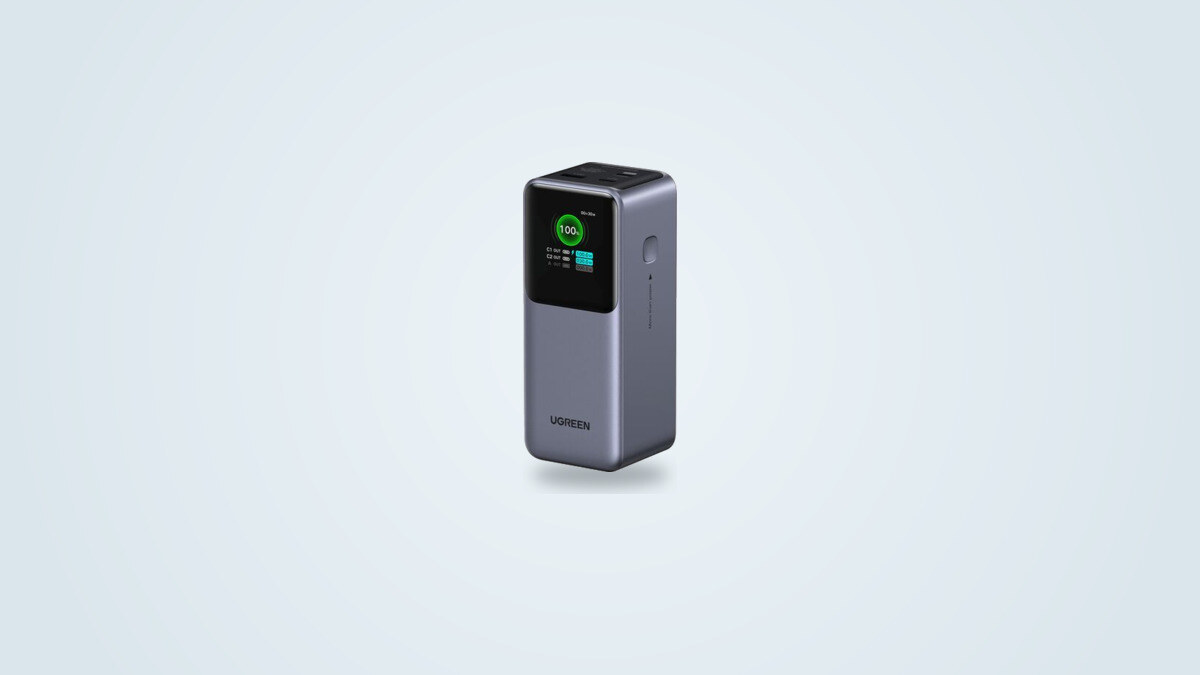
What the 20,000 mAh really contains
The case reads 20,000 mAh, but the pack doesn't have that capacity in the everyday sense. It combines four cylindrical 21700 cells of 5.0 Ah wired in series: 4 × 3.6 V gives 14.4 V, and 14.4 V × 5 Ah gives 72 Wh. The 20,000 mAh figure simply adds up the four cells (4 × 5,000 mAh), a counting convention at 3.6 V that most brands use too, and which says nothing about the energy available at the USB output. Ugreen's own spec sheet distinguishes the total cell capacity, 20,000 mAh, from the battery capacity, 5,000 mAh as four cells in series.
Ugreen also publishes its own output capacity, voltage step by voltage step: 11,000 mAh at 5 V, or 55 Wh, and 3,000 mAh at 20 V, or 60 Wh, with values from 51 to 61.5 Wh for the steps in between. Even on paper, the energy leaving the port therefore sits between 51 and 61.5 Wh, not at 72 Wh. The U.S. store lists the same item number, 35524.
What is left at the output: 55 to 65 Wh
The energy that actually comes out of the port depends on the power drawn. Under a light load, at 5 or 9 V, the pack delivers 62 to 65 Wh; at 20 V, it goes from 61 Wh at 20 W to 54.8 Wh at 100 W. It all comes down to conversion losses: the higher the voltage and current, the more is lost as heat.
The other figures stay in the same range: about 60 Wh when discharging at 50 W on USB-C as at 15 W on USB-A, and about 56 Wh in another discharge. A power bank typically delivers 80 to 90% of its nominal energy; this pack stays there up to 60 W, and falls clearly below it only at full power.
Scaled to 60 Wh, the uses Ugreen claims, calculated on 72 Wh, lose a sixth: a little over 3 charges of an iPhone 15 instead of 4, 2.5 of a Galaxy S24 Ultra instead of 3, 1.7 of an 11-inch iPad Pro instead of 2, and about 1.1 of a 13-inch MacBook Air instead of 1.3. A MacBook Air therefore charges once, barely, before the power bank is flat.
100 W on paper, 45 to 65 W once the case warms up
The USB-C 1 port negotiates up to 20 V and 5 A, or 100 W, in Power Delivery 3.0 with a PPS range covering 3.3 to 21 V. The first minutes keep the promise: laptops ask for 100 W as soon as they are plugged in. But the case doesn't hold that level to the end of the discharge.
| Situation | Start | Power afterward | When |
|---|---|---|---|
| Constant electronic load, 20 V and 5 A | 100 W | 65 W | when 34% of charge is left, after about 22 min |
| Real laptops (two models) | 100 W | 45 W until the end | after 18 min, with 50% of charge left |
In both situations, the output holds 100 W for 18 to 22 minutes, or 30 to 36 Wh, a little over half of the usable energy, then steps down. The step itself differs, 65 W under a constant load and 45 W with real laptops, which most likely comes down to the load applied and the ambient temperature rather than a contradiction. A laptop that doesn't accept the 45 W step sees the output stop with an error message, and resuming takes a cooling period.
The cause is thermal. Ugreen gives an operating range of 32 to 104 °F (0 to 40 °C), and the manual provides for a temperature protection that cuts the output: you then have to unplug all cables and wait 30 minutes. The surface of the case nonetheless stays around 104 to 113 °F (40 to 45 °C): the limit is most likely set by the internal temperature of the pack, watched by a thermistor, more than by what your hand feels.
These 30-minute gains, on the USB-C 1 port, show that the full-power window is enough for ordinary use: the step bothers neither a phone, nor a tablet, nor an ultraportable laptop drawing 45 W or less.
The 130 W: a total that needs two ports
The 130 W figure adds up the two USB-C ports, 100 W and 30 W. It only holds with those two ports, and the power distribution table in the manual leaves no ambiguity.
With the USB-A port alongside USB-C 1, you add 100 W and up to 22.5 W, from 15 W at 5 V to 22.5 W under the proprietary SCP protocol. As soon as all three ports are occupied, USB-C 2 and USB-A share 15 W, which brings the total down to 115 W. And if USB-C 1 stays free, those two ports already share 15 W: two phones plugged into USB-C 2 and USB-A get only 15 W between them, a slow charge.
The practical takeaway is simple: laptop on USB-C 1, phone on USB-C 2, which goes up to 30 W, and the USB-A port kept for an undemanding accessory such as earbuds, a watch or an e-reader. A Galaxy S24 Ultra only reaches full speed on USB-C 1, whose PPS covers 3.3 to 21 V at 5 A; the PPS of USB-C 2 stops at 11 V at 3 A. The allocation is fixed: no setting lets you give a port priority.
The manual doesn't mention recharging while powering a device, known as pass-through. USB-C 1 serves as both input and 100 W output: don't count on leaving it permanently plugged into a wall outlet.
Recharging: 65 W at best, 1 h 45 to 2 h 40
The power bank only recharges through USB-C 1, marked IN/OUT 1, at up to 65 W (20 V, 3.25 A). Ugreen quotes about 2 hours with a 65 W PD charger. The charger isn't included, only a short USB-C cable of about 20 in (50 cm). Plugged into a 100 or 140 W charger, it won't go faster: the input is capped at 65 W.
Like the output, the input doesn't hold its maximum. Charging starts at about 62 W, falls to 25 to 45 W after 10 to 30 minutes, sometimes climbs back to 65 W, then drops again. The same thermal mechanism as on the output explains the drop. From one setup to another, a full recharge takes from 1 h 45 to about 2 h 40, with the average around 2 hours. With a 20 W phone charger, expect several hours.
For travel, plug it in the night before: the drop in power during charging makes last-minute top-ups rather ineffective.
The TFT display: its strongest argument
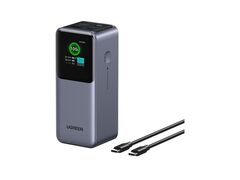
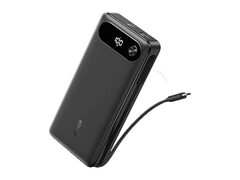
The front face is taken up by a color TFT display. It shows the charge level in large figures, the time remaining when discharging and charging, the power of each of the three ports, then voltage and current after a press, with a power curve. In standby, a little animated face reflects the charge state, and an icon at the top left shows the low-current mode.
This display does what simple LEDs can't: spot a cable that limits charging, check that a laptop is really receiving 100 W, see when the output drops back to 65 or 45 W. It is the tool that makes every limit described above visible.
Its limits lie in brightness and in what it doesn't say. It is dim, almost unreadable in direct sunlight, and picks up fingerprints. It shows neither a cycle count nor a battery health indicator, which the Anker Prime 20000 in the catalog does.
The controls come down to one side button: one press wakes it, two presses turn the display off, a 3-second hold activates the low-current mode, designed for watches and earbuds, which switches itself off after 3 h 30, and a 6-second hold powers the unit off. The power bank switches itself off 3 minutes after the last device is unplugged.
1.05 lb and 2 in thick: a bag power bank
The case is 5.2 × 2.1 × 2.0 in (131 × 54 × 50.8 mm) and weighs 1.05 lb (476 g). The column shape stands upright on a desk and takes little surface, about 4.3 in² (27 cm²), but 2 in (5 cm) of thickness rules out the pocket. The weight comes mostly from the cells: four 2.4 oz (69 g) cells weigh 0.61 lb (276 g), or 58% of the total, and there is little to save without removing capacity.
In the box, a short USB-C cable and a carry pouch. The 72 Wh stay under the 100 Wh limit that allows carrying it on board without airline approval, in your carry-on only, never in checked baggage. Several airlines now limit the number of power banks per passenger and ban their use in flight: the airline's own rule prevails, so check it before you fly.
Against the Nexode 145W, the Nexode 100W and the Anker 737
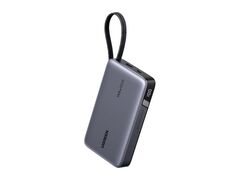
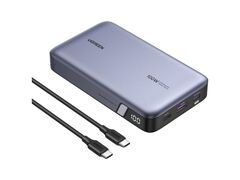
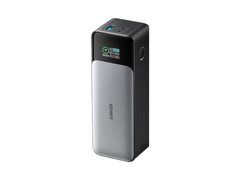
In the catalog, three models sit around this Nexode. The Nexode 20000 145W has a built-in USB-C cable and recharges at 80 W. The Nexode 100W is flat and lighter. The Anker 737 offers a bigger reserve and a one-hour recharge, for 0.34 lb (154 g) more.
| Criterion | Nexode 20000 130W | Nexode 20000 145W | Nexode 100W | Anker 737 |
|---|---|---|---|---|
| Pack energy | 72 Wh | 72 Wh | 72 Wh | 86.4 Wh |
| Main port | 100 W | 100 W (built-in cable) | 100 W | 140 W |
| Total claimed | 130 W (two ports) | 145 W | 100 W | 140 W |
| Display | Color TFT, power per port | LED | LED | LCD |
| Power bank recharge | 65 W (≈ 2 h) | 80 W (≈ 1 h 30) | 65 W | 140 W (≈ 1 h) |
| Weight | 1.05 lb (476 g) | 0.99 lb (450 g) | 0.93 lb (420 g) | 1.39 lb (630 g) |
| Shape | column, 5.2 × 2.1 × 2.0 in (131 × 54 × 51 mm) | flat, 5.5 × 3.1 × 1.1 in (139 × 80 × 27 mm) | flat, 5.5 × 3.1 × 1.0 in (139 × 80 × 26.5 mm) | column, 6.1 × 2.2 × 2.0 in (156 × 55 × 50 mm) |
The Nexode 130W stands out for its display, not its raw figures: the 145W beats it on recharge and built-in cable, the 100W on lightness, the Anker 737 on sustained power and recharge speed. It becomes the right choice when you want to see live what each port receives, and you accept a column shape 2 in (5 cm) thick.
Internals, protections and lifespan
The inside is neater than a plastic case suggests. The pack rests on four 21700 cells of 5.0 Ah (BAK N21700CG-50 in the first batches), linked by a connector to a separate power board. That board includes a protection circuit designed for four cells in series with balancing, a thermistor on the pack, a bidirectional buck-boost converter, thermal pads, a soldered heat sink and large graphite sheets around the cells.
Ugreen quotes thirteen protection levels, temperature monitoring 200 times per second and more than 80% of capacity kept after 1,000 cycles. The datasheet of the cell used gives 800 cycles: the gap can't be settled without knowing the end-of-life criterion used on each side, and real endurance will depend mostly on use and heat.
The conditions of use must be respected: 32 to 104 °F (0 to 40 °C) in operation, 32 to 122 °F (0 to 50 °C) in storage. A car parked in the sun falls outside that range, and the power bank then refuses to charge or discharge until it cools down. The warranty is 2 years, and no recall targets this model at the time of writing.
Which model to buy, and at what price
The model described here is the Ugreen Nexode Power Bank 20000mAh 130W, code PB721, item 35524, which some retailers list as 35524B: same characteristics, a mere listing variant. It must not be confused with the built-in USB-C cable version, code PB723, item 55365, which replaces one USB-C port with a braided cable and weighs 1.15 lb (520 g). The range also includes 12,000 mAh 100 W and 25,000 mAh 200 W models, and the Nexode 20000 145W: check the box before buying.
At the catalog price of $89.99, the 60 Wh delivered work out at about $1.50 per Wh. That is a coherent price for a 72 Wh pack with a color display, without being the cheapest in the category: the flat Nexode 100W costs less in the catalog.
Who it suits, and who it doesn't
It suits anyone who charges a 45 to 65 W laptop, a phone and earbuds on the move, and wants to see on the display what each device receives. The 72 Wh, under the carry-on limit, make it a sensible travel reserve, provided you plug it in the night before into a 65 W charger.
It suits less anyone planning to power a 100 W laptop through a whole charge, or three demanding devices at once: the limits described above become concrete there. Nor does it suit anyone after a pocket power bank, a one-hour recharge, or a recharge during use guaranteed by the manufacturer.