
Watt, Amp, Volt, Watt-Hour: What Each One Actually Measures
These four terms show up on every charger box and spec sheet, and they are not interchangeable. The watt (W) is the unit of power: it tells you how fast energy is moving, at that exact moment. The watt-hour (Wh) is a unit of energy: it adds that power up over time, and it is what actually fills (or drains) a battery. The amp (A) measures the current flowing through a wire, and the volt (V) measures the voltage pushing it along. A simple way to picture it: voltage is like water pressure in a hose, current is the flow rate, and power is the two multiplied together. The International System of Units (SI), maintained by the International Bureau of Weights and Measures, defines the ampere as one of its base units, with the volt and the watt both derived from it.
The One Formula Worth Remembering: Power (W) = Voltage (V) × Current (A)
A single formula connects all three units, and it is all you need to decode any charger or battery listing: P = V × I, in other words power (W) = voltage (V) × current (A).
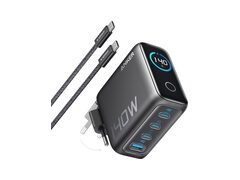
Here is what that looks like in practice: a USB-C charger rated at 65 W that maxes out at 20 V is pushing roughly 3.25 A (65 ÷ 20). A 100 W charger is often also running at 20 V, but closer to 5 A. Since USB Power Delivery (USB PD) added its Extended Power Range, a charger can go as high as 48 V to hit 240 W while staying at 5 A.
Why a 65 W Charger Will Not Always Beat a 45 W One
A bigger wattage number on the box does not guarantee a faster charge, and none of the reasons have anything to do with the watt rating itself.
- The cable sets its own ceiling. A standard USB-C cable is only rated for 3 A up to 20 V, which caps it at 60 W. Anything above that needs a cable certified for Extended Power Range (EPR), rated at 5 A and up to 240 W. Plug a 100 W charger into a cheap cable and it will quietly throttle down to 60 W or less, with zero warning on screen.
- The device calls its own shots. The charger and the device handshake the instant they connect, agreeing on a shared voltage and current. A phone built for 25 W will never pull more than 25 W, period, even plugged into a 140 W charger.
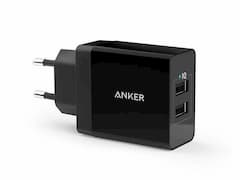
- Multi-port chargers split the total. The wattage printed on a multi-port charger is a shared pool across every port in use, so plugging in a second device often drops the power available to each one.
Bottom line: a well-matched 45 W charger, paired with a decent cable and a compatible device, can keep up with, or even beat, a 65 W charger stuck with a bad cable. For more on charging standards, check out our guide to USB-C PD, PPS, and Quick Charge, and to shop for a charger, head to the chargers section.
Watts vs. Watt-Hours: The Mix-Up That Costs You the Most
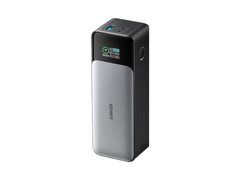
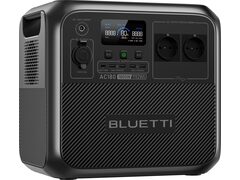
This is the single most common mix-up, and the one that bites hardest when shopping for a battery: watts measure a rate, watt-hours measure an amount. A 300 Wh power station running a 60 W device lasts roughly 5 hours (300 ÷ 60) under perfect conditions; in the real world, conversion losses eat up another 10 to 20 percent of that runtime. A bigger Wh number also says nothing about how much power a battery can push out at once: plenty of compact power banks advertise a generous capacity while capping their output at just 18 or 20 W.
| Common use case | Typical power draw | To run for 2 hours, plan on roughly |
|---|---|---|
| Charging a cellphone | 5-30 W | 10-60 Wh |
| Charging a laptop | 45-100 W | 90-200 Wh |
| Running a camping mini-fridge | 40-60 W | 80-120 Wh |
| Powering a home router and modem | 15-25 W | 30-50 Wh |
To figure out exactly how many mAh or Wh a specific device needs, our guide on how many mAh you actually need to recharge your devices walks through the math, and power station Wh: what the advertised capacity really gets you explains why the number on the box is never the number you get to use.
How to Read a Spec Sheet Without Getting Fooled
On every Best Batteries product page, three numbers are all it takes to size up a product in seconds:
- Output power (W): the maximum the device can deliver at a given instant, like a power station rated for 1,000 W continuous.
- Capacity (Wh or mAh): the total energy reserve. To compare two batteries running at different voltages, converting to Wh (mAh × volts ÷ 1,000) is far more honest than comparing raw mAh numbers, which ignore voltage entirely.
- Max rated current (A) for a cable, port, or fuse: push past that number and an undersized cable can genuinely overheat, not just in a worst-case scenario.
Our guide on what those advertised mAh numbers are really worth breaks down why the capacity printed on the box almost always beats what you actually get to use.
The Most Common Traps to Watch Out For
- Peak watts vs. continuous watts: a station listed as "1,800 W, 3,600 W surge" sustains 1,800 W continuously, not 3,600 W. Always check which number a comparison is actually quoting.
- mAh does not compare across different voltages: 20,000 mAh at 3.7 V (the internal cell) is not the same as 20,000 mAh at 5 V (the USB output); energy measured in Wh is the only fair way to compare.
- A charger more powerful than you need will not hurt your device: USB PD negotiation protects the device, which never pulls more than it asks for. The real risk is an uncertified cable or charger that skips the protocol altogether.
- A clamp meter reads current, not power: without the matching voltage, a current reading on its own does not tell you how much power is actually being drawn.